

For organizations requiring standard desktop compatibility, Microsoft offers generous software grants. Eligible nonprofits can access up to 300 free licenses of Microsoft 365 Business Basic (web and mobile apps) and up to 10 free licenses of Microsoft 365 Business Premium, which includes full installable desktop applications and enterprise device security.
Step 1: Register on the Microsoft Nonprofit Portal
Navigate to nonprofit.microsoft.com and register your organization. Provide your official organization name, EIN, and contact information. You will also create an initial administrative domain username (e.g., [email protected]) to manage the tenant.
Step 2: Submit 501(c)(3) Verification Details
Microsoft uses an automated system paired with partner validation to confirm eligibility. In most cases, you can enter your TechSoup validation token to accelerate approval. If requested, upload your 501(c)(3) determination letter directly through the portal. Review generally takes between 3 and 7 business days.
Step 3: Assign Granted Licenses in the Admin Center
After approval, sign in to the Microsoft 365 Admin Center (admin.microsoft.com). Navigate to Billing > Purchase Services > Nonprofit Offers. Select Microsoft 365 Business Premium ($0/month for up to 10 users) or Business Basic ($0/month for up to 300 users) and check out. You can then assign these licenses directly to staff and board members.
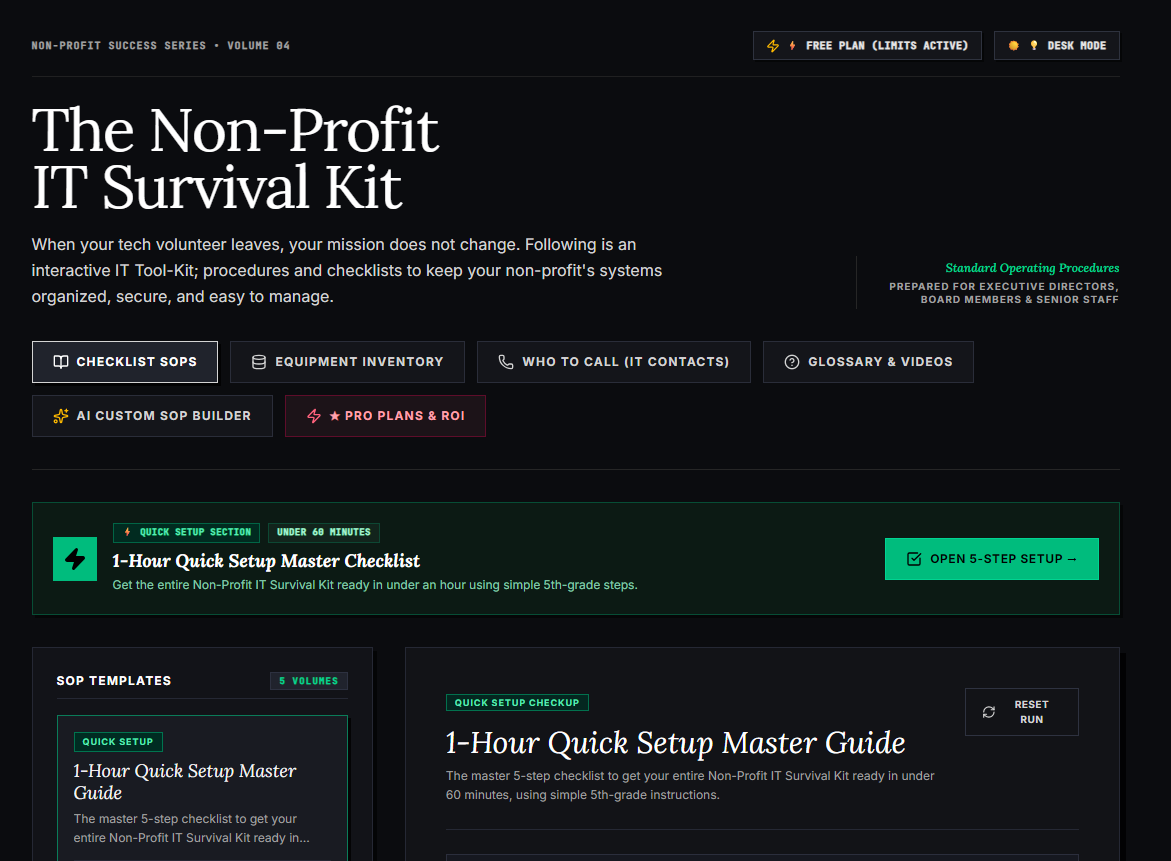
🌟 What’s Included Inside the Hub:
- ⏱ 1-Hour Quick Setup Master Checklist: Get your entire organization’s essential IT organized in under 60 minutes using simple, step-by-step guidance.
- 📋 Complete SOP Checklist Library: Ready-to-use Standard Operating Procedures for onboarding new staff, offboarding volunteers, password security, and data backup.
- 💻 Equipment & Hardware Inventory Tracker: Easily log and track donated laptops, office PCs, printers, and network gear without complicated spreadsheets.
- 📞 “Who to Call” Emergency IT Contact Directory: A centralized registry for internet providers, domain hosts, software support, and emergency technician contacts.
- 📖 Plain-English Tech Glossary & Video Guides: Simple explanations of everyday tech terms so your team never feels lost in technical jargon.
- 🤖 AI Custom SOP Builder: Need a procedure unique to your non-profit? Generate customized, step-by-step IT guidelines in seconds.
👉 Open Free Interactive Hub Here →
0 Comments