
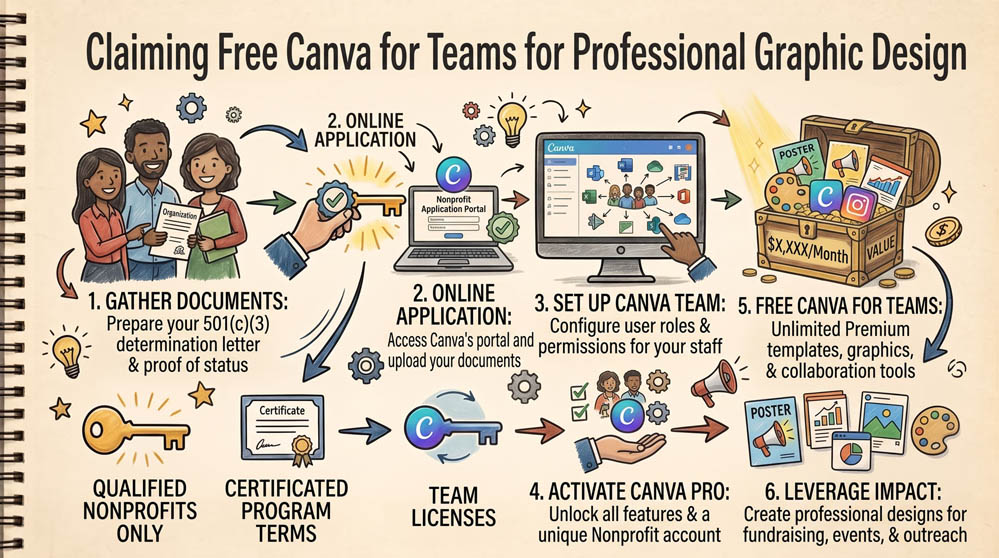
Hiring graphic designers for every social post, newsletter banner, and donor brochure quickly exhausts a nonprofit’s budget. Canva for Nonprofits provides free access to Canva for Teams for up to 20 team members. This includes brand kits, premium templates, background removers, and scheduled publishing tools.
Step 1: Prepare Verification Assets
Canva requires direct proof of your nonprofit status. Have a clear digital copy of your 501(c)(3) determination letter ready. If you operate under a fiscal sponsor or group exemption, have your affiliation letter ready as well.
Step 2: Submit the Canva for Nonprofits Application
Visit canva.com/canva-for-nonprofits. Log in with an existing Canva account or create a new account using your organization email address. Fill out the application form with your organization’s legal name, mission statement, website address, and upload your IRS determination letter.
Step 3: Configure Team Access and Shared Brand Assets
Approvals typically arrive via email within 48 to 72 hours. Once approved, navigate to your team dashboard. Invite up to 19 colleagues or volunteers by email. Set up your Brand Kit by uploading your official logos, brand colors, and fonts so all marketing materials remain consistent across the team.
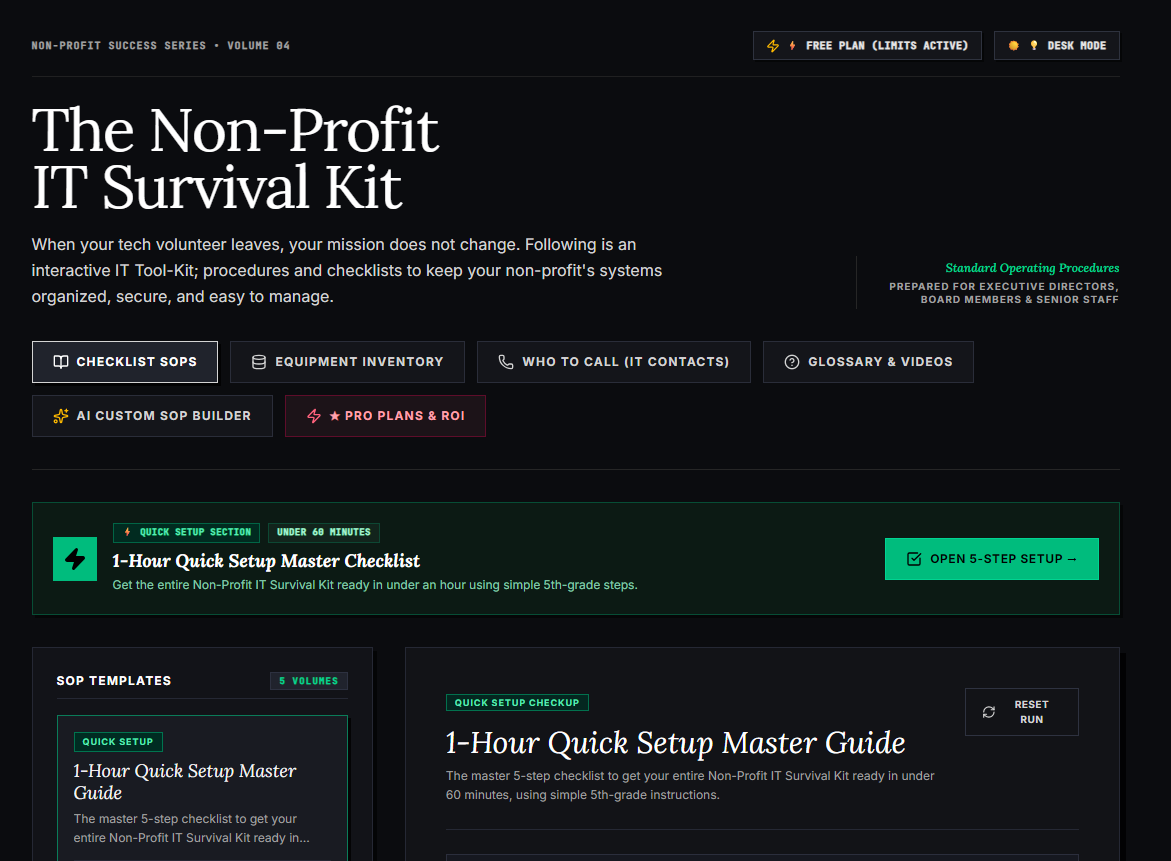
🌟 What’s Included Inside the Hub:
- ⏱ 1-Hour Quick Setup Master Checklist: Get your entire organization’s essential IT organized in under 60 minutes using simple, step-by-step guidance.
- 📋 Complete SOP Checklist Library: Ready-to-use Standard Operating Procedures for onboarding new staff, offboarding volunteers, password security, and data backup.
- 💻 Equipment & Hardware Inventory Tracker: Easily log and track donated laptops, office PCs, printers, and network gear without complicated spreadsheets.
- 📞 “Who to Call” Emergency IT Contact Directory: A centralized registry for internet providers, domain hosts, software support, and emergency technician contacts.
- 📖 Plain-English Tech Glossary & Video Guides: Simple explanations of everyday tech terms so your team never feels lost in technical jargon.
- 🤖 AI Custom SOP Builder: Need a procedure unique to your non-profit? Generate customized, step-by-step IT guidelines in seconds.
👉 Open Free Interactive Hub Here →
0 Comments