
Between grant cycles, seasonal intern departures, and summer camps, non-profits frequently accumulate batches of idle laptops, spare monitors, and excess accessories. In many offices, these valuable assets are piled haphazardly into cardboard boxes and shoved into damp basements or unventilated attics. When new staff arrive months later, batteries have permanently died, cables are hopelessly tangled, and moisture has damaged internal circuits.
Protect Lithium-Ion Batteries During Dormancy
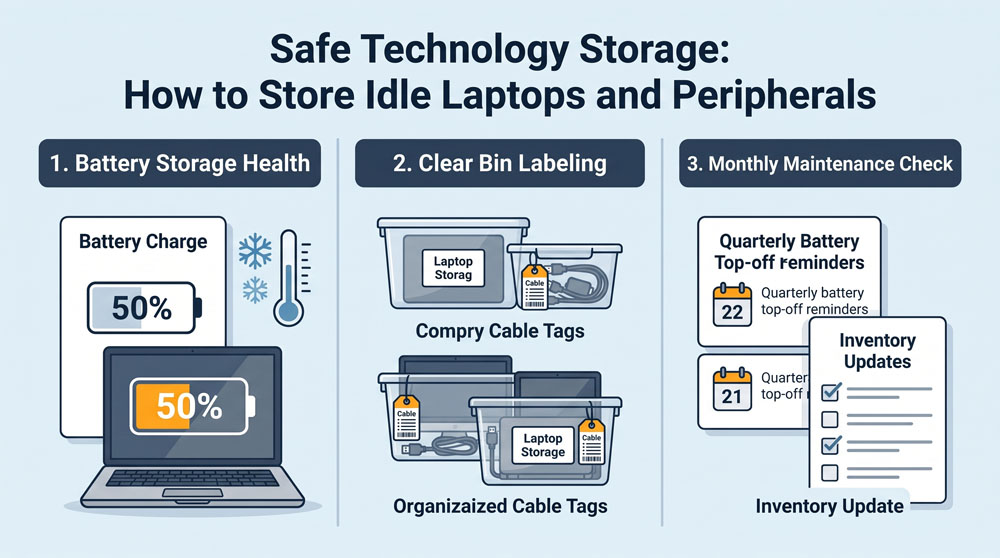
The most fragile component in any stored laptop or tablet is its lithium-ion battery. Storing devices with a 0% dead charge can trigger battery cell sleep states that render the battery incapable of holding power again. Conversely, leaving laptops constantly plugged into a charger at 100% generates heat that degrades long-term capacity. Before putting laptops into storage, charge them to approximately 50%, power them completely off (avoiding standby mode), and schedule a reminder to check and top off the charge every ninety days.
Use Clear, Labeled, Temperature-Controlled Storage
Never store sensitive electronics in spaces exposed to extreme temperature swings or high humidity, such as uninsulated attics, boiler rooms, or damp basements. Condensation can corrode internal motherboards even when power is off. Store equipment in an interior, climate-controlled cabinet or room. Invest in inexpensive clear plastic storage tubs so staff can see contents without opening them. Group related accessories—such as HDMI cables, USB hubs, and spare keyboards—into dedicated, labeled bins.
Label Cables and Avoid Tight Wrapping
Power adapters are frequently rendered unusable during storage because staff tightly wrap cables around the transformer brick. This strains the delicate copper wiring near the stress-relief collars, causing internal shorts and fire hazards. Train your administrative team to coil power cords in loose, neat loops secured with velcro ties. Affix a small tag identifying the specific laptop model the charger belongs to, preventing mismatched voltage accidents when devices are retrieved.
0 Comments