

Nonprofits often waste funds paying retail pricing for business email, or they risk security by using free personal @gmail.com accounts. Google offers Google Workspace for Nonprofits at zero monthly cost for up to 2,000 users, giving your team professional custom email addresses, 30 GB of cloud storage per user, and administrative control.
Step 1: Secure Domain Ownership and Verification
To use custom email addresses (such as [email protected]), you must own your domain name through a registrar like Namecheap or Google Domains. Log into your domain registrar’s DNS manager. You will add a TXT verification record provided by Google to prove that your organization controls the domain.
Step 2: Apply Through the Google for Nonprofits Portal
Visit google.com/nonprofits and click Get Started. Log in using the administrative Google account for your organization. When prompted, enter your TechSoup validation token. Google cross-references this token with TechSoup’s database, typically approving access to the nonprofit portal within 24 to 48 hours.
Step 3: Activate Workspace and Route Mail (MX Records)
Once approved in the portal, click Activate under Google Workspace for Nonprofits. Follow the setup wizard to create your primary administrator account. To route incoming mail to Google, update your domain’s MX (Mail Exchange) records in your DNS manager to point to Google’s mail servers.
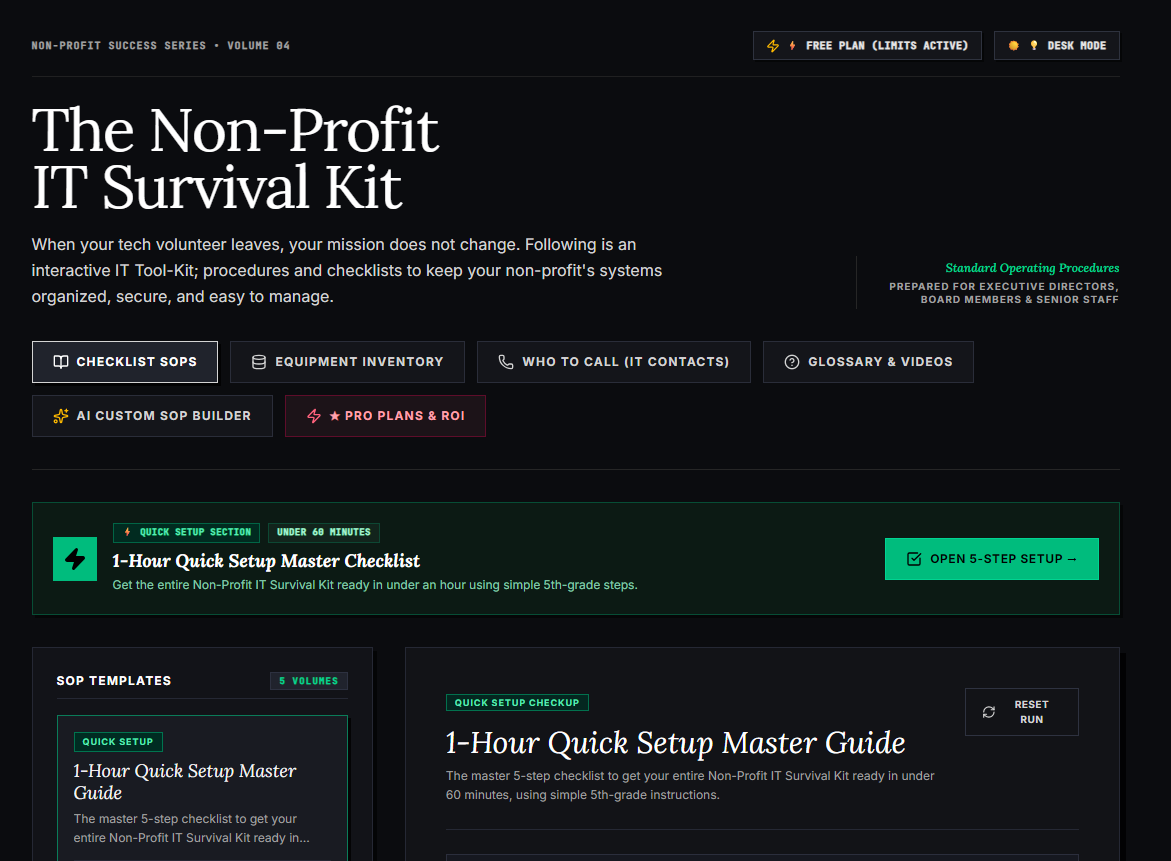
🌟 What’s Included Inside the Hub:
- ⏱ 1-Hour Quick Setup Master Checklist: Get your entire organization’s essential IT organized in under 60 minutes using simple, step-by-step guidance.
- 📋 Complete SOP Checklist Library: Ready-to-use Standard Operating Procedures for onboarding new staff, offboarding volunteers, password security, and data backup.
- 💻 Equipment & Hardware Inventory Tracker: Easily log and track donated laptops, office PCs, printers, and network gear without complicated spreadsheets.
- 📞 “Who to Call” Emergency IT Contact Directory: A centralized registry for internet providers, domain hosts, software support, and emergency technician contacts.
- 📖 Plain-English Tech Glossary & Video Guides: Simple explanations of everyday tech terms so your team never feels lost in technical jargon.
- 🤖 AI Custom SOP Builder: Need a procedure unique to your non-profit? Generate customized, step-by-step IT guidelines in seconds.
👉 Open Free Interactive Hub Here →
0 Comments