
When an IT volunteer or staff member leaves your organization, simply deleting their user account can lead to data loss. In cloud storage platforms like Google Drive, individual documents, folders, and templates created by that user are fundamentally “owned” by their account. If leadership deletes their account without transferring ownership, shared grant proposals, budget files, and donor reports can vanish instantly.
To prevent file loss, transition your non-profit away from personal “My Drive” folders and migrate all collaborative assets into centralized “Shared Drives” (Google Workspace) or “SharePoint Document Libraries” (Microsoft 365). Unlike personal folders, files in Shared Drives are owned collectively by the non-profit entity itself, meaning no single volunteer departure can ever cause file deletion.
If your organization still relies on standard folders, you must execute a comprehensive file ownership transfer before revoking access. In Google Workspace, use the admin console to transfer all Drive documents from the departing user to an organizational archive account (such as [email protected]).
Finally, audit sharing permissions on sensitive folders containing client intake records, donor banking data, or HR evaluations. Revoke any external personal accounts that were granted editor access. Standardizing file ownership ensures institutional memory remains protected and accessible to active leadership.
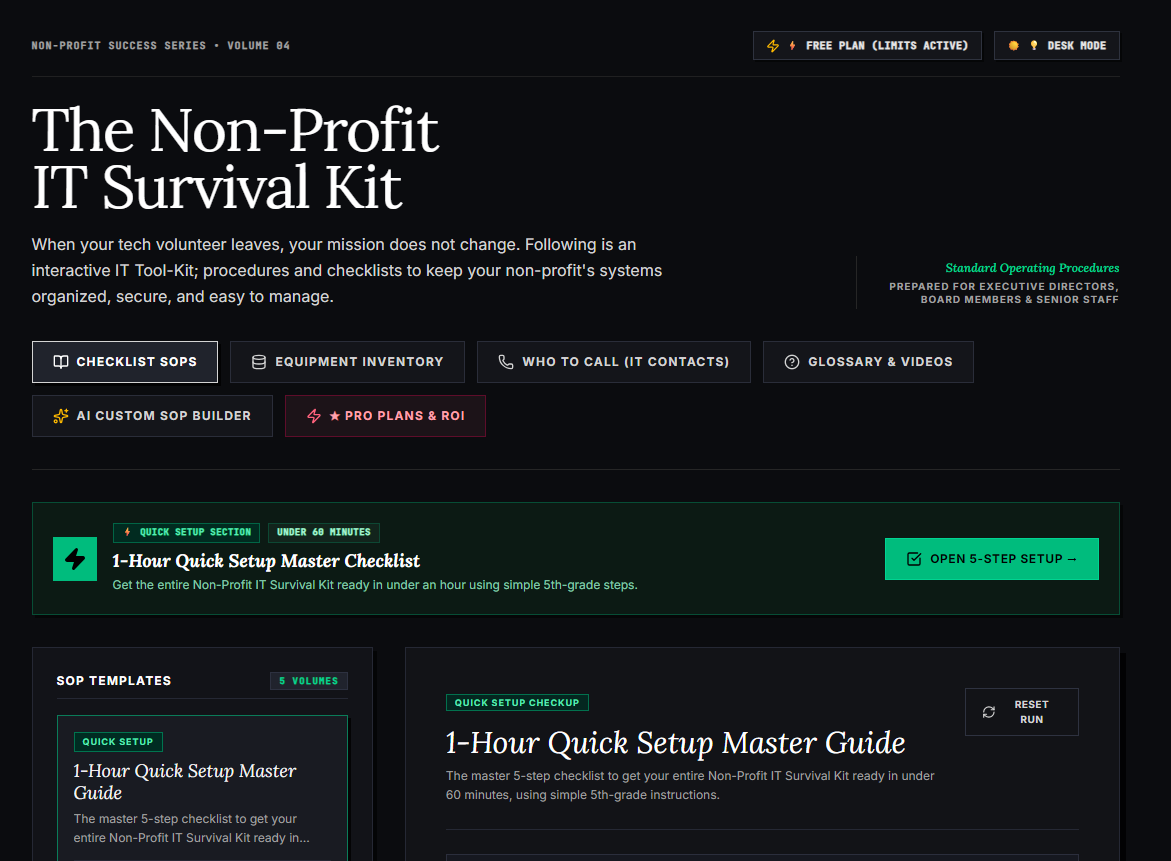
🌟 What’s Included Inside the Hub:
- ⏱ 1-Hour Quick Setup Master Checklist: Get your entire organization’s essential IT organized in under 60 minutes using simple, step-by-step guidance.
- 📋 Complete SOP Checklist Library: Ready-to-use Standard Operating Procedures for onboarding new staff, offboarding volunteers, password security, and data backup.
- 💻 Equipment & Hardware Inventory Tracker: Easily log and track donated laptops, office PCs, printers, and network gear without complicated spreadsheets.
- 📞 “Who to Call” Emergency IT Contact Directory: A centralized registry for internet providers, domain hosts, software support, and emergency technician contacts.
- 📖 Plain-English Tech Glossary & Video Guides: Simple explanations of everyday tech terms so your team never feels lost in technical jargon.
- 🤖 AI Custom SOP Builder: Need a procedure unique to your non-profit? Generate customized, step-by-step IT guidelines in seconds.
👉 Open Free Interactive Hub Here →
0 Comments