
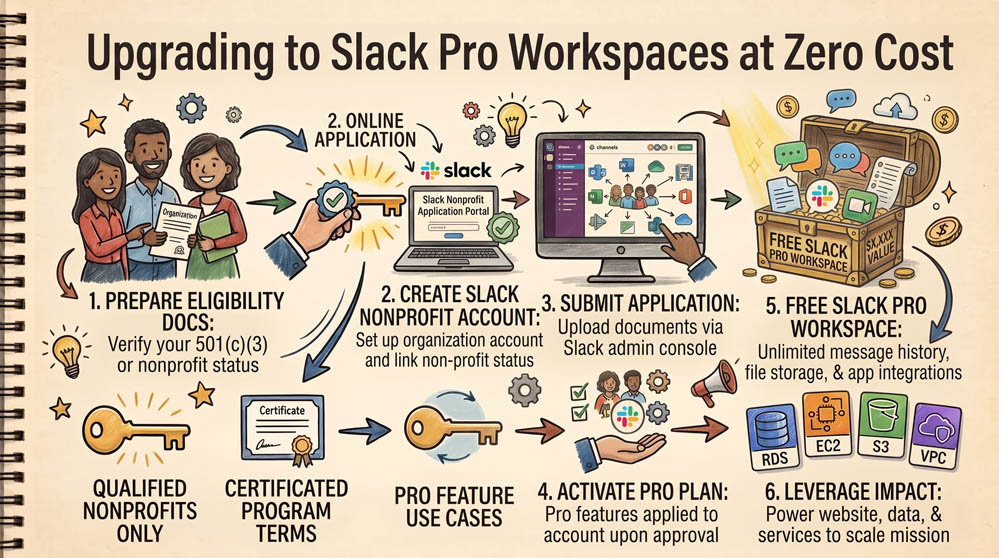
Text messages and disjointed email threads scatter important conversations. Slack offers free upgrades to its Pro Plan for eligible nonprofits with 250 or fewer members. This removes the 90-day message archive limitation, unlocks unlimited app integrations, and enables external Slack Connect channels for working with partners.
Step 1: Create a Standard Slack Workspace
If you do not already have an active workspace, go to slack.com and create one using your organization's custom domain email. Set up initial channels for core operational areas (e.g., #general, #board, #programs, #grant-writing).
Step 2: Submit the Slack for Nonprofits Application
Navigate to slack.com/for-nonprofits. Click Apply Now and log in as the workspace primary owner. You will need your organization's official legal name, EIN, website, and an uploaded copy of your 501(c)(3) determination letter.
Step 3: Confirm the Pro Plan Activation
Slack processes applications within 3 to 5 business days. Once approved, your existing free workspace updates automatically to Slack Pro. Your team immediately gains unlimited message search history, custom user groups, and voice/screen-sharing Huddle features without entering billing information.
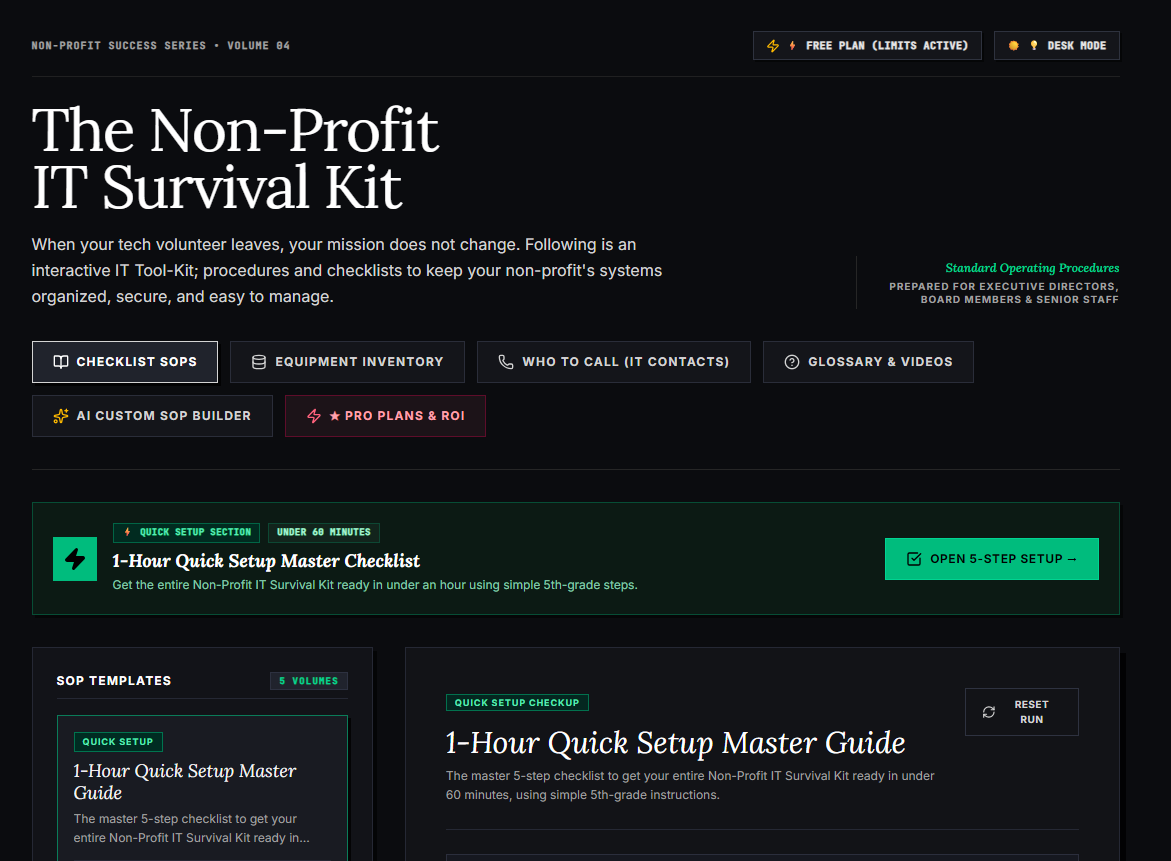
🌟 What's Included Inside the Hub:
- ⏱ 1-Hour Quick Setup Master Checklist: Get your entire organization's essential IT organized in under 60 minutes using simple, step-by-step guidance.
- 📋 Complete SOP Checklist Library: Ready-to-use Standard Operating Procedures for onboarding new staff, offboarding volunteers, password security, and data backup.
- 💻 Equipment & Hardware Inventory Tracker: Easily log and track donated laptops, office PCs, printers, and network gear without complicated spreadsheets.
- 📞 “Who to Call” Emergency IT Contact Directory: A centralized registry for internet providers, domain hosts, software support, and emergency technician contacts.
- 📖 Plain-English Tech Glossary & Video Guides: Simple explanations of everyday tech terms so your team never feels lost in technical jargon.
- 🤖 AI Custom SOP Builder: Need a procedure unique to your non-profit? Generate customized, step-by-step IT guidelines in seconds.
👉 Open Free Interactive Hub Here →
0 Comments