
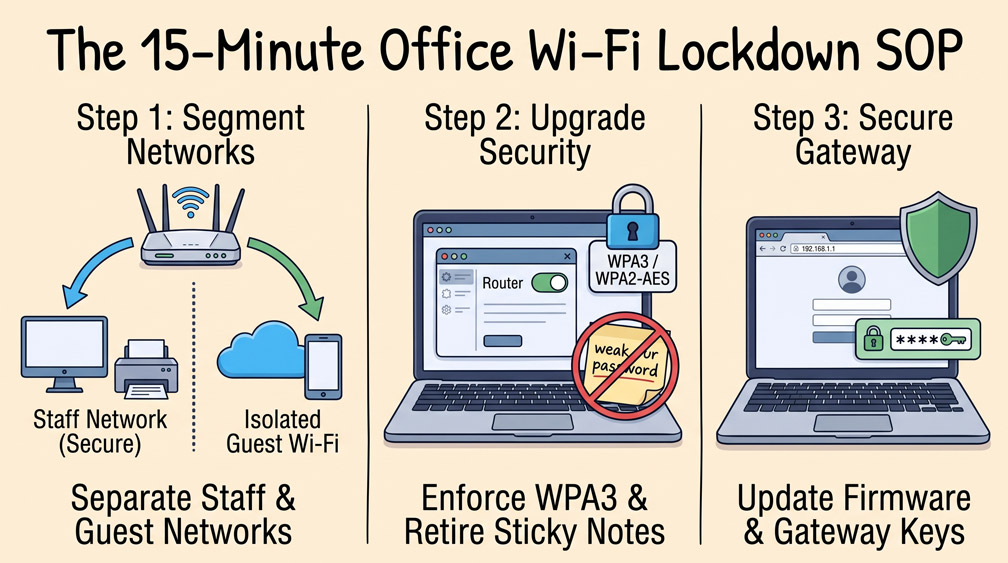
In many community nonprofit offices, the wireless network is treated like a home appliance: configured once by an internet service provider or an outgoing volunteer, protected by a simple password written on a public dry-erase board, and left unmanaged for years. Operating an unsecured wireless environment allows visitors, donors, and unauthorized devices to sit on the exact same network as your accounting computers, donor databases, and office printers.
Step 1: Segmenting Staff Devices from Visitor Guest Access
The single most critical wireless security policy is network segmentation. Access your office router or wireless access point administration portal and verify that you maintain at least two distinct Service Set Identifiers (SSIDs). The primary network should be reserved strictly for organization-owned laptops, staff desktops, and network printers. Enable a separate, isolated “Guest Network” for visitors, clients, and personal volunteer smartphones. Ensure the guest network has “Client Isolation” enabled so guest devices cannot discover or connect to staff computers.
Step 2: Upgrading to WPA3 or Robust WPA2-Enterprise Encryption
Check the security mode of your wireless networks. Older security standards like WEP or basic WPA can be cracked in minutes using freely available automated tools. Transition all office access points to WPA2-AES or WPA3 security standards. Ensure the pre-shared key (password) for your internal staff network contains at least 16 randomized alphanumeric characters, and store that password securely inside your team password vault rather than posting it on office walls.
Step 3: Hardening Administrative Gateway Credentials and Firmware
Many office routers retain default factory administrative passwords (such as “admin” or “password”). An unauthorized user on your local network could access the router gateway, change DNS settings, and silently route staff traffic to malicious credential-harvesting websites. Log into the router gateway (typically found at 192.168.1.1 or 192.168.0.1), update the administrator password to a complex 20-character passphrase, disable remote WAN administration, and apply the latest manufacturer firmware update to patch known vulnerabilities.
0 Comments