
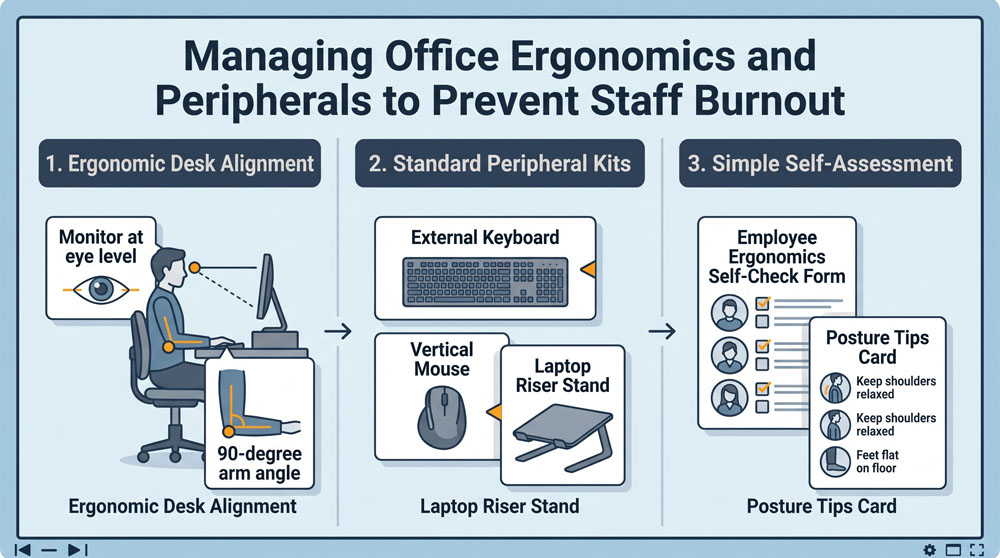
Non-profit professionals are dedicated to community service, frequently working long hours drafting grant applications, tracking client outcomes, and managing event logistics. However, when staff spend eight hours hunched over small laptop screens resting directly on banquet tables, chronic neck strain, carpal tunnel pain, and physical fatigue follow quickly. Providing ergonomic office equipment is not an executive luxury; it is a direct investment in staff retention and injury prevention.
Provide Standard Laptop Riser and Peripheral Bundles
Laptops are designed for mobility, not long-term ergonomic health. When a laptop sits flat on a desk, the user must look downward, placing severe stress on cervical vertebrae. Make it a standard policy to pair every staff laptop with an adjustable aluminum riser stand, an external full-size keyboard, and an optical mouse. Raising the laptop screen so the top third sits at eye level allows team members to work with a neutral spine posture, immediately reducing end-of-day tension headaches.
Support Wrist and Arm Alignment
Repetitive stress injuries from awkward typing angles can sideline key team members for weeks. Equip workstations with affordable gel wrist rests for keyboards and mousepads. For employees experiencing early wrist soreness, make vertical ergonomic mice available upon request. These devices keep the hand and forearm in a natural “handshake” position, relieving pressure on the median nerve. Ensuring chairs feature adjustable armrests that support forearms at an open 90-to-100-degree angle prevents shoulder shrugging and muscle exhaustion.
Institute an Annual Ergonomic Self-Assessment
Do not wait for a workers’ compensation claim or an employee resignation to address desk ergonomics. Implement a brief, self-guided five-minute workstation assessment checklist that every staff member completes upon hire and reviews annually. The checklist walks employees through chair height adjustments, screen distance (arm’s length away), and lighting alignment to reduce glare. Taking small, inexpensive steps to improve daily physical comfort signals to your team that their health and mission contributions are genuinely valued.
0 Comments