
Bringing on a new IT volunteer or managed service provider (MSP) can be overwhelming if your documentation is scattered across sticky notes and emails. When a new tech helper arrives, handing them a disorganized pile of passwords leads to wasted hours and configuration errors.
An effective onboarding workflow relies on a curated “IT Onboarding Binder”. Rather than granting global admin rights on day one, start by providing read-only access to your system topology. This overview should outline your primary internet provider, domain registrar, cloud tenant (Google Workspace or Microsoft 365), and hardware inventory.
Next, implement the principle of least privilege. Grant the incoming technician access only to the specific environments they need to evaluate or configure. If they are redesigning the website, grant them WordPress administrator access without handing over master billing control of the hosting server.
Finally, set up a recurring check-in schedule during their first 30 days. Clarify expectations regarding data privacy, software licensing, and backup procedures. Providing a clean, structured onboarding environment helps new technical partners deliver value quickly while protecting organizational assets.
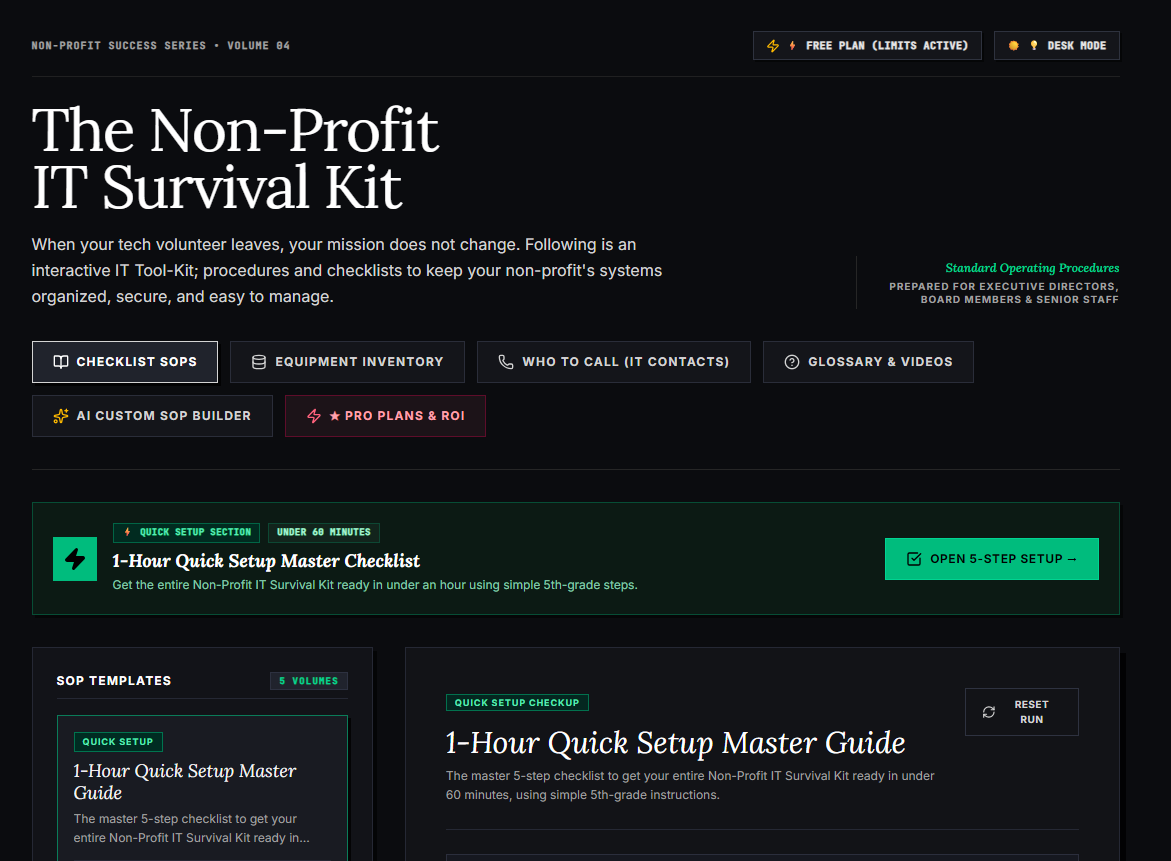
🌟 What’s Included Inside the Hub:
- ⏱ 1-Hour Quick Setup Master Checklist: Get your entire organization’s essential IT organized in under 60 minutes using simple, step-by-step guidance.
- 📋 Complete SOP Checklist Library: Ready-to-use Standard Operating Procedures for onboarding new staff, offboarding volunteers, password security, and data backup.
- 💻 Equipment & Hardware Inventory Tracker: Easily log and track donated laptops, office PCs, printers, and network gear without complicated spreadsheets.
- 📞 “Who to Call” Emergency IT Contact Directory: A centralized registry for internet providers, domain hosts, software support, and emergency technician contacts.
- 📖 Plain-English Tech Glossary & Video Guides: Simple explanations of everyday tech terms so your team never feels lost in technical jargon.
- 🤖 AI Custom SOP Builder: Need a procedure unique to your non-profit? Generate customized, step-by-step IT guidelines in seconds.
👉 Open Free Interactive Hub Here →
0 Comments