
In technology administration, a “Break-Glass” account is a dedicated emergency administrator profile kept completely isolated from day-to-day work. It is designed for one specific scenario: when all primary administrators are unavailable, locked out, or depart abruptly, allowing executive leadership to regain immediate root control of operational systems.
Without an emergency account, a non-profit locked out of its Microsoft 365 or Google Workspace tenant faces days of identity verification with enterprise support. During that downtime, staff cannot access email, calendars, or files.
To establish your break-glass protocol, create a standalone global administrator account (such as [email protected] or [email protected]). Generate a complex, randomized 24-character password. Do not tie this account to any single staff member’s mobile phone or email. Instead, configure Multi-Factor Authentication using a hardware security key (such as a YubiKey) or a dedicated authenticator app recorded on an offline, encrypted card.
Store the username, master passphrase, and physical security key in a tamper-evident envelope inside the executive director’s physical safe or locked firebox. Review and audit this account semi-annually. A break-glass account acts as an essential insurance policy for your digital assets.
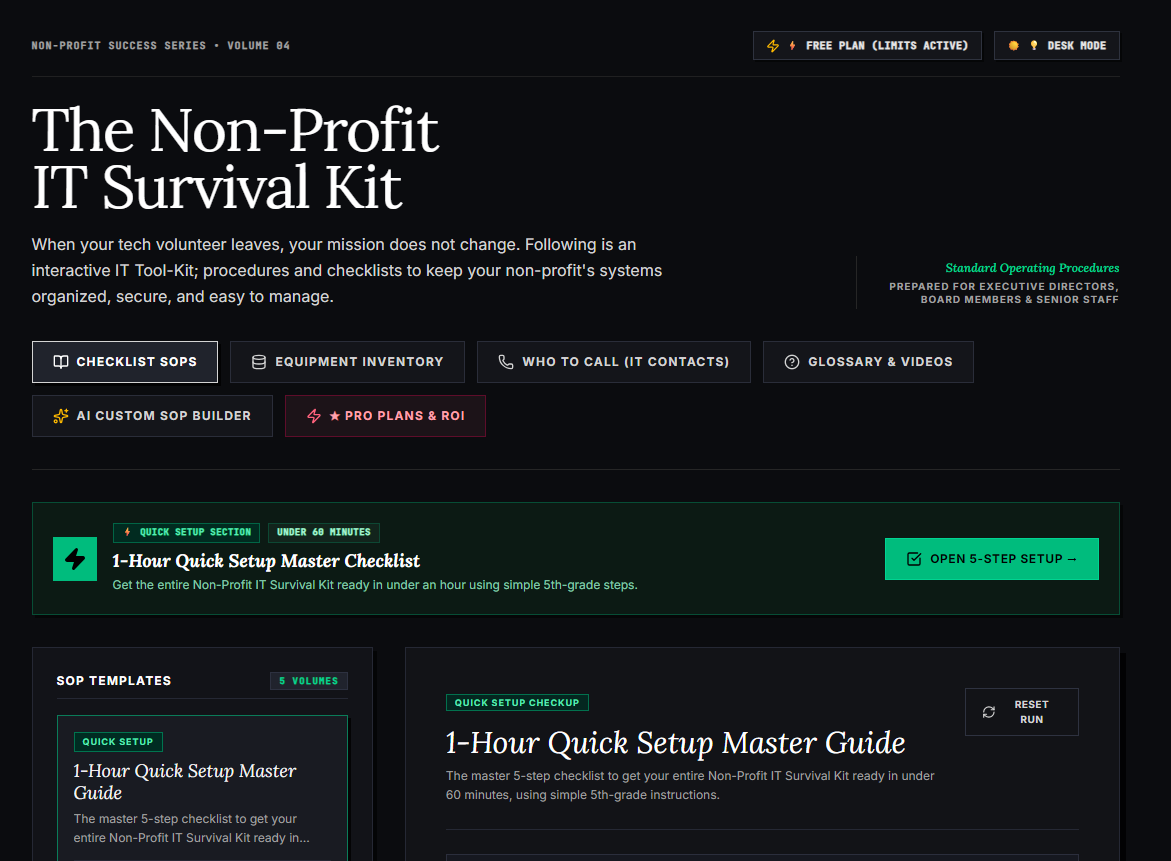
🌟 What’s Included Inside the Hub:
- ⏱ 1-Hour Quick Setup Master Checklist: Get your entire organization’s essential IT organized in under 60 minutes using simple, step-by-step guidance.
- 📋 Complete SOP Checklist Library: Ready-to-use Standard Operating Procedures for onboarding new staff, offboarding volunteers, password security, and data backup.
- 💻 Equipment & Hardware Inventory Tracker: Easily log and track donated laptops, office PCs, printers, and network gear without complicated spreadsheets.
- 📞 “Who to Call” Emergency IT Contact Directory: A centralized registry for internet providers, domain hosts, software support, and emergency technician contacts.
- 📖 Plain-English Tech Glossary & Video Guides: Simple explanations of everyday tech terms so your team never feels lost in technical jargon.
- 🤖 AI Custom SOP Builder: Need a procedure unique to your non-profit? Generate customized, step-by-step IT guidelines in seconds.
👉 Open Free Interactive Hub Here →
0 Comments